09 · Image prompting

Make pictures

09Image prompting

Group 09 · 25 techniques

Image prompting

Make pictures. Describe the picture in words. Short and clear is best.

Each slide shows one technique: the plain prompt, the same prompt with the technique applied, and what changed. Use the arrows, the keys ← →, or pick a technique on the left.


Short and Simple Prompts (Midjourney)

Short and Simple Prompts (Midjourney): The short prompt, typed into MidjourneyThe short prompt, typed into Midjourney
Pictures: Midjourney (docs.midjourney.com)
Before

Show me a picture of lots of blooming California poppies, make them bright, vibrant orange, and draw them in an illustrated style with colored pencils

After · new words marked

Colored pencil illustration of bright orange California poppies

What happened

Cleaner, less confused result; Midjourney's default style fills the gaps.

Image prompting · Technique 1 of 25

Short and Simple Prompts (Midjourney)

Keep prompts short; use phrases that clearly describe what you want, not long lists or detailed instructions.

When to use it

Default starting point for any Midjourney image.

Sources

Choose Specific Synonyms (Midjourney)

Pick precise words - e.g. 'huge / gigantic / enormous' instead of 'big'.

Before

A big dog

After · new words marked

A gigantic dog

What happened

More accurate scale / impact.

Image prompting · Technique 2 of 25

Choose Specific Synonyms (Midjourney)

Pick precise words - e.g. 'huge / gigantic / enormous' instead of 'big'.

When to use it

When scale or quality is vague in the result.

Sources

Be Specific with Numbers (Midjourney)

Replace vague plurals with exact counts or collective nouns.

Before

cats / birds

After · new words marked

three cats / flock of birds

What happened

Correct count instead of a random number of subjects.

Image prompting · Technique 3 of 25

Be Specific with Numbers (Midjourney)

Replace vague plurals with exact counts or collective nouns.

When to use it

Any prompt with multiple subjects.

Sources

Describe What You Want, Not What You Don't (Midjourney)

State the wanted content; mentioning an unwanted thing ('no cake') can make it appear. Use --no to exclude.

Before

A party with no cake

After · new words marked

A party with balloons and streamers --no cake

What happened

Unwanted element excluded instead of accidentally summoned.

Image prompting · Technique 4 of 25

Describe What You Want, Not What You Don't (Midjourney)

State the wanted content; mentioning an unwanted thing ('no cake') can make it appear. Use --no to exclude.

When to use it

When an unwanted element keeps appearing.

Sources

Seven Detail Dimensions (Midjourney)

Add only the details that matter: Subject / Medium / Environment / Lighting / Color / Mood / Composition. Fewer details = more variety, less control.

Before

poppies

After · new words marked

Colored pencil illustration [Medium] of bright orange California poppies [Subject + Color], in a sunny field [Environment], soft daylight [Lighting], playful mood [Mood], closeup [Composition]

What happened

Each added dimension narrows one axis without writing instructions.

Image prompting · Technique 5 of 25

Seven Detail Dimensions (Midjourney)

Add only the details that matter: Subject / Medium / Environment / Lighting / Color / Mood / Composition. Fewer details = more variety, less control.

When to use it

When a short prompt is too random, or a long prompt is too muddled - add one dimension at a time.

Sources

Image Prompt - Reference Images (Midjourney)

Upload image(s) as inspiration for content, composition and colours; text should describe what you want in the final image, not instructions to change the reference.

Before

[text only, no reference]

After · new words marked

[reference image] + 'sunlit coastal town, pastel houses' - or 2 images with no text to blend them

What happened

Result follows the reference's core elements / composition; Midjourney uses it as inspiration, not an exact copy. File must end .png/.gif/.webp/.jpg/.jpeg.

Image prompting · Technique 6 of 25

Image Prompt - Reference Images (Midjourney)

Upload image(s) as inspiration for content, composition and colours; text should describe what you want in the final image, not instructions to change the reference.

When to use it

When you have a visual target words can't capture; blending 2+ images with no text blends their visuals.

Sources

Style Reference --sref (Midjourney)

Capture only the look of a reference image - colours, medium, textures, lighting - not its objects / people, and apply it to a new image.

Before

A ceramic vase on a shelf

After · new words marked

A ceramic vase on a shelf --sref [image URL or numeric code] --sw 100

What happened

Same subject, new image in the reference's style. --sw 0-1000, default 100 (style strength).

Image prompting · Technique 7 of 25

Style Reference --sref (Midjourney)

Capture only the look of a reference image - colours, medium, textures, lighting - not its objects / people, and apply it to a new image.

When to use it

For a consistent visual theme across a series; when text alone can't name the look.

Sources

Parameters: Aspect Ratio --ar (Midjourney)

Parameters go at the very end of the prompt, after a space, no space inside the dashes, no commas, no prompt text after them. --ar changes the shape from the default square.

Before

vibrant California poppies

After · new words marked

vibrant California poppies --ar 2:3

What happened

Tall 2:3 image. Wrong forms in the guide: 'poppies--ar 2:3' (no space), 'poppies - - ar 2:3', 'poppies --ar 2:3,' (punctuation), 'vibrant California --ar 2:3 poppies' (text after parameter).

Image prompting · Technique 8 of 25

Parameters: Aspect Ratio --ar (Midjourney)

Parameters go at the very end of the prompt, after a space, no space inside the dashes, no commas, no prompt text after them. --ar changes the shape from the default square.

When to use it

Every Midjourney prompt that needs a non-square shape.

Sources

Parameters: --stylize / --chaos / --no / --raw (Midjourney)

--stylize: artistic flair vs literal following. --chaos: variation among the 4 results. --no: exclude. --raw: more literal, less Midjourney beautification.

Before

[base prompt]

After · new words marked

[base prompt] --s 300 / --c 35 / --no cake / --raw

What happened

--s runs 0 to 1000, default 100 (low is literal, high is artistic); --c runs 0 to 100, default 0. Check the parameter list for your Midjourney version.

Image prompting · Technique 9 of 25

Parameters: --stylize / --chaos / --no / --raw (Midjourney)

--stylize: artistic flair vs literal following. --chaos: variation among the 4 results. --no: exclude. --raw: more literal, less Midjourney beautification.

When to use it

--s when the result needs more/less artistic freedom; --c for diverse options; --no for exclusions; --raw when the prompt should dominate.

Sources

Write a Complete Descriptive Scene (OpenAI)

Write a Complete Descriptive Scene (OpenAI): From the full scene descriptionFrom the full scene description
Pictures: OpenAI (platform.openai.com)
Before

A veterinarian and an otter

After · new words marked

A children's book drawing of a veterinarian using a stethoscope to listen to the heartbeat of a baby otter.

What happened

Whimsical children's-book illustration of exactly that scene (guide's first example).

Image prompting · Technique 10 of 25

Write a Complete Descriptive Scene (OpenAI)

Describe subject, action and relationship in full sentences; the model renders the scene as described.

When to use it

First generation from scratch.

Sources

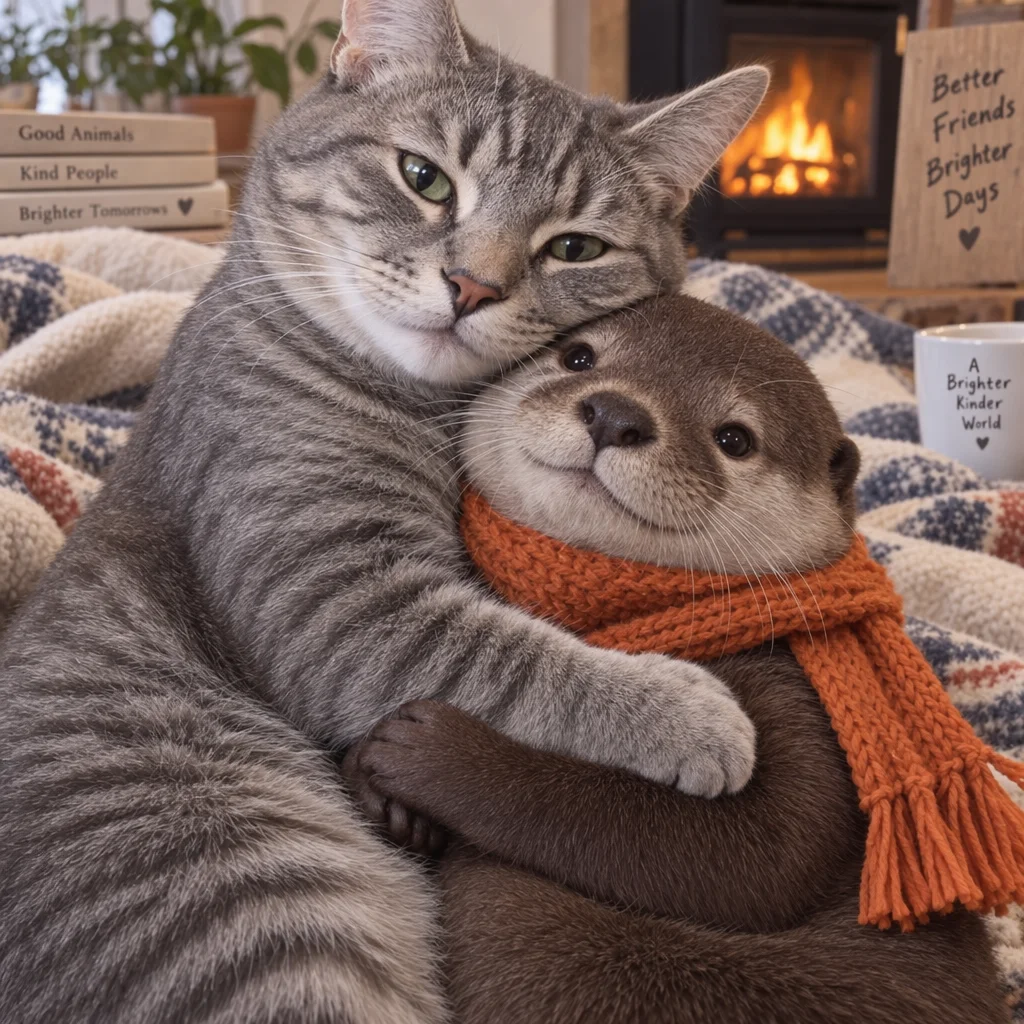
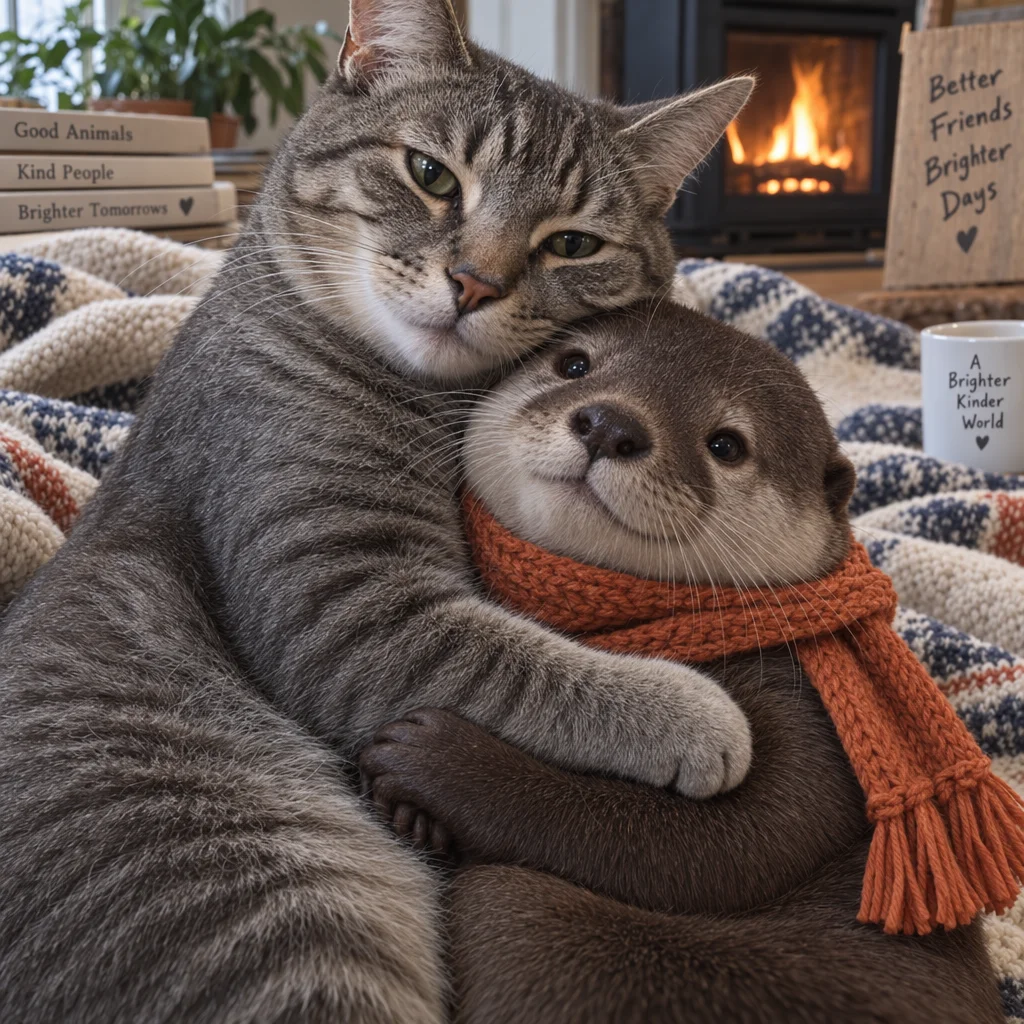
Iterate in a Multi-Turn Conversation (OpenAI)

Iterate in a Multi-Turn Conversation (OpenAI): First turnFirst turn
Iterate in a Multi-Turn Conversation (OpenAI): After "Now make it look realistic"After "Now make it look realistic"
Pictures: OpenAI (platform.openai.com)
Before

Generate an image of gray tabby cat hugging an otter with an orange scarf

After · new words marked

Now make it look realistic

What happened

Same composition, now photorealistic instead of illustrated (cat_and_otter.png -> cat_and_otter_realistic.png).

Image prompting · Technique 11 of 25

Iterate in a Multi-Turn Conversation (OpenAI)

Keep the image in context and give a short follow-up instruction; set action auto / generate / edit.

When to use it

Refining a generated image without starting over.

Sources

Compose from Reference Images (OpenAI)

Supply 1+ input images and describe the new image containing their items.

Before

[4 product photos, no instruction]

After · new words marked

Generate a photorealistic image of a gift basket on a white background labeled 'Relax & Unwind' with a ribbon and handwriting-like font, containing all the items in the reference pictures.

What happened

One photorealistic basket containing all four referenced items, labelled as specified.

Image prompting · Technique 12 of 25

Compose from Reference Images (OpenAI)

Supply 1+ input images and describe the new image containing their items.

When to use it

Product / mockup / composite images, e.g. a gift basket from product photos.

Sources

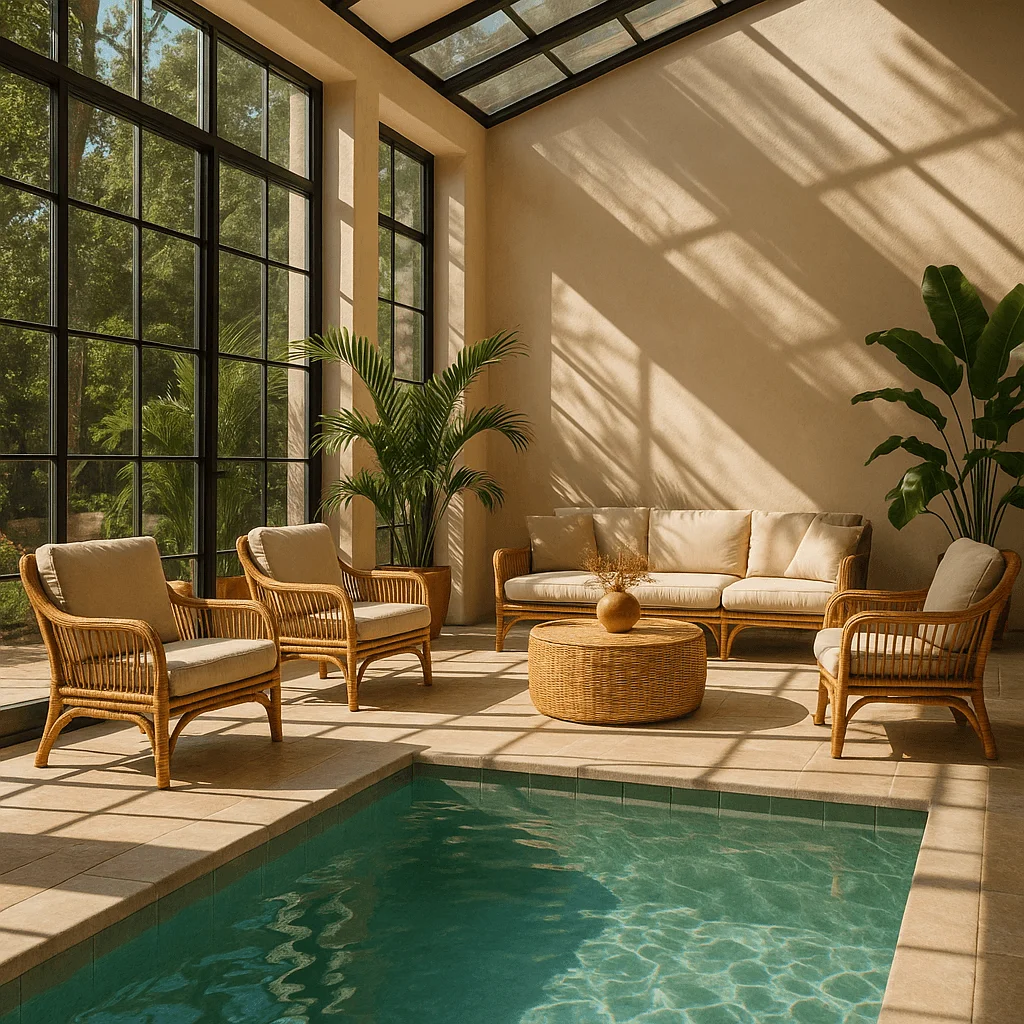
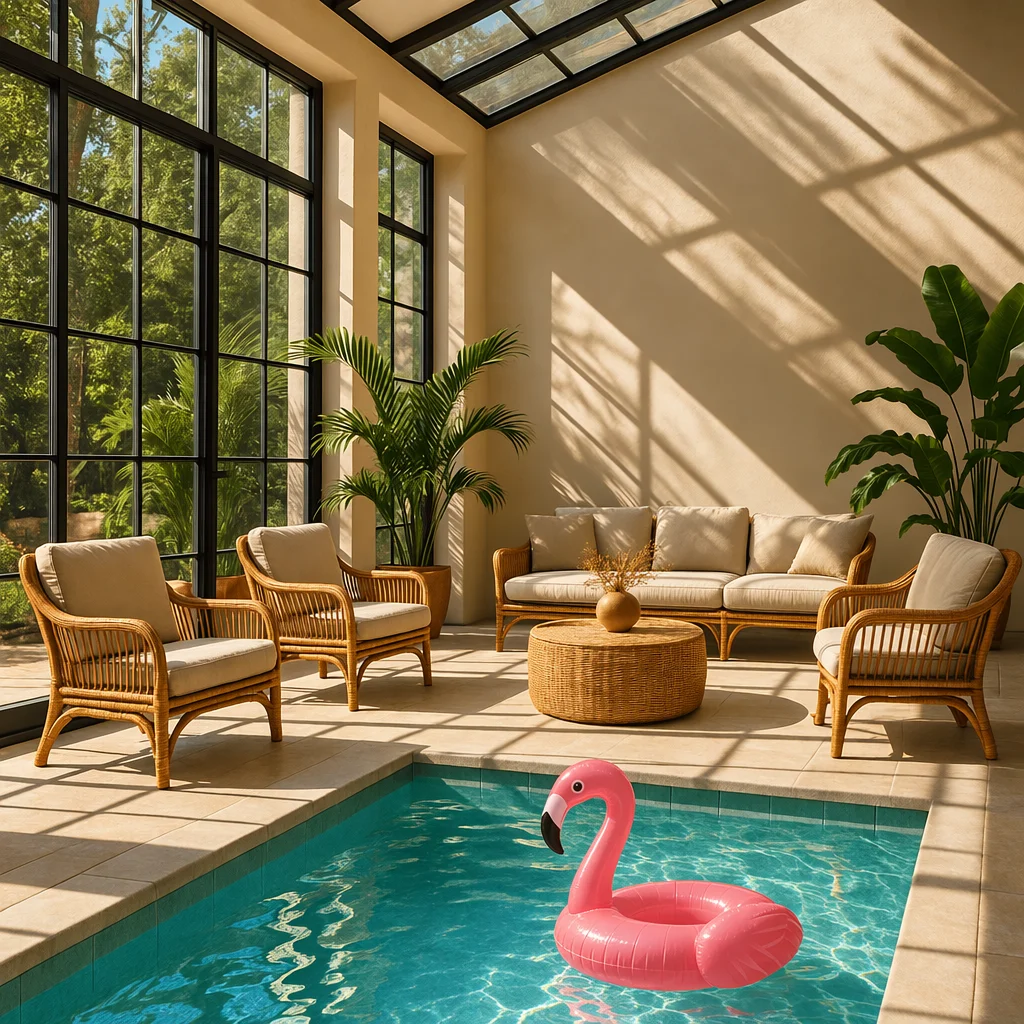
Mask-Guided Edit (OpenAI)

Mask-Guided Edit (OpenAI): OriginalOriginal
Mask-Guided Edit (OpenAI): After the masked editAfter the masked edit
Pictures: OpenAI (platform.openai.com)
Before

[sunlit lounge with pool, no mask]

After · new words marked

Generate an image of the same sunlit indoor lounge area with a pool but the pool should contain a flamingo [with mask over the pool]

What happened

Same lounge, pool now contains an inflatable flamingo (sunlit_lounge_result.png).

Image prompting · Technique 13 of 25

Mask-Guided Edit (OpenAI)

Upload image + mask (same size/format, alpha channel, <50MB); describe the change. Mask is prompt-based guidance, not pixel-exact.

When to use it

Changing one area while keeping the rest.

Sources

Use the Model's Revised Prompt (OpenAI)

In the Responses API the mainline model auto-revises your prompt; read it back in the revised_prompt field.

Before

Generate an image of gray tabby cat hugging an otter with an orange scarf

After · new words marked

Revised to: 'A gray tabby cat hugging an otter. The otter is wearing an orange scarf. Both animals are cute and friendly, depicted in a warm, heartwarming style.'

What happened

Expanded, disambiguated prompt; same intent, warmer / clearer rendering.

Image prompting · Technique 14 of 25

Use the Model's Revised Prompt (OpenAI)

In the Responses API the mainline model auto-revises your prompt; read it back in the revised_prompt field.

When to use it

Debugging why a short prompt worked / failed; learning better wording.

Sources

Be Specific - At Least 3 Words (Firefly)

Use simple direct language, at least 3 words, subject + descriptors + keywords; avoid 'generate' or 'create'.

Before

cat

After · new words marked

A fluffy cat sitting on a windowsill looking out at a cityscape.

What happened

Recognisable scene instead of a generic cat.

Image prompting · Technique 15 of 25

Be Specific - At Least 3 Words (Firefly)

Use simple direct language, at least 3 words, subject + descriptors + keywords; avoid 'generate' or 'create'.

When to use it

Every Firefly text-to-image prompt.

Sources

Add Detail Progressively (Firefly)

Cat
Add Detail Progressively (Firefly): Cat, Level 1Level 1
Add Detail Progressively (Firefly): Cat, Level 2Level 2
Add Detail Progressively (Firefly): Cat, Level 3Level 3
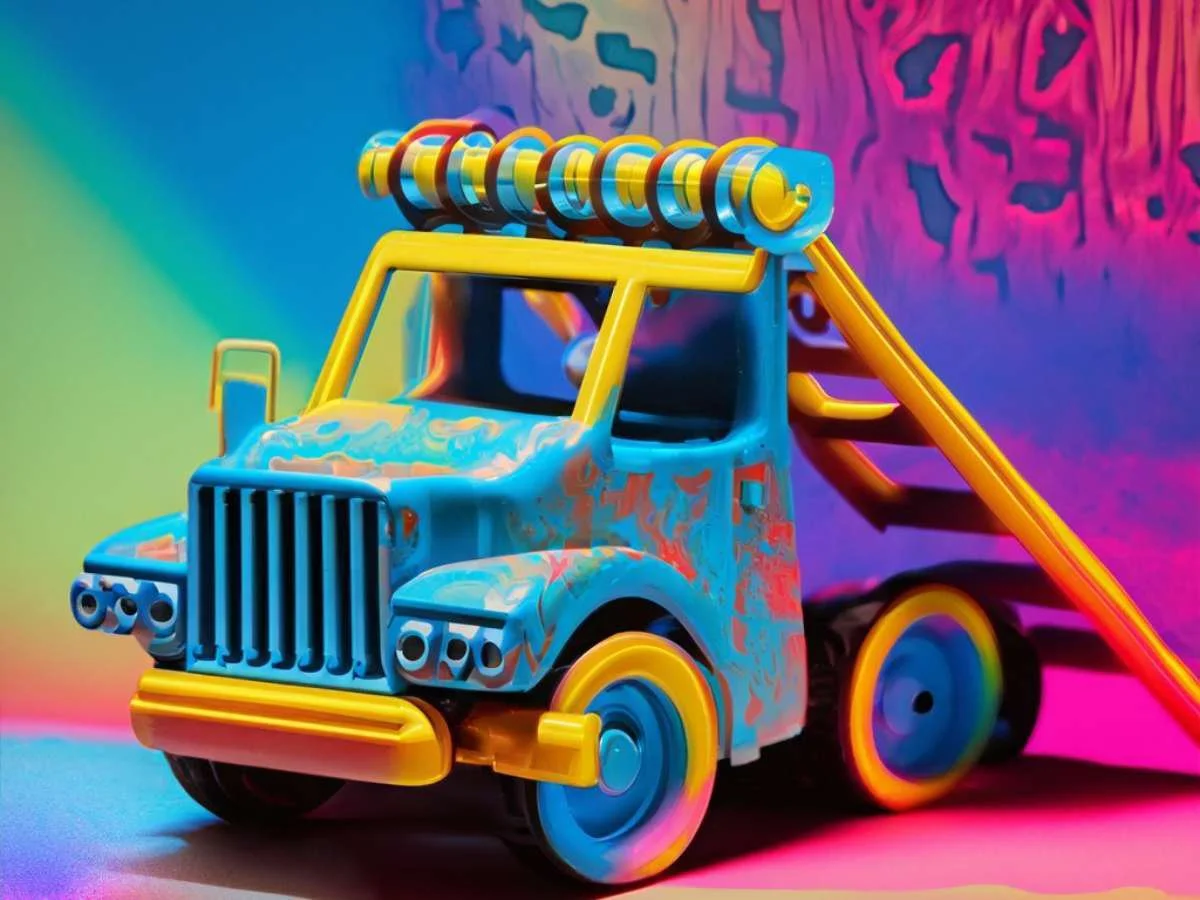
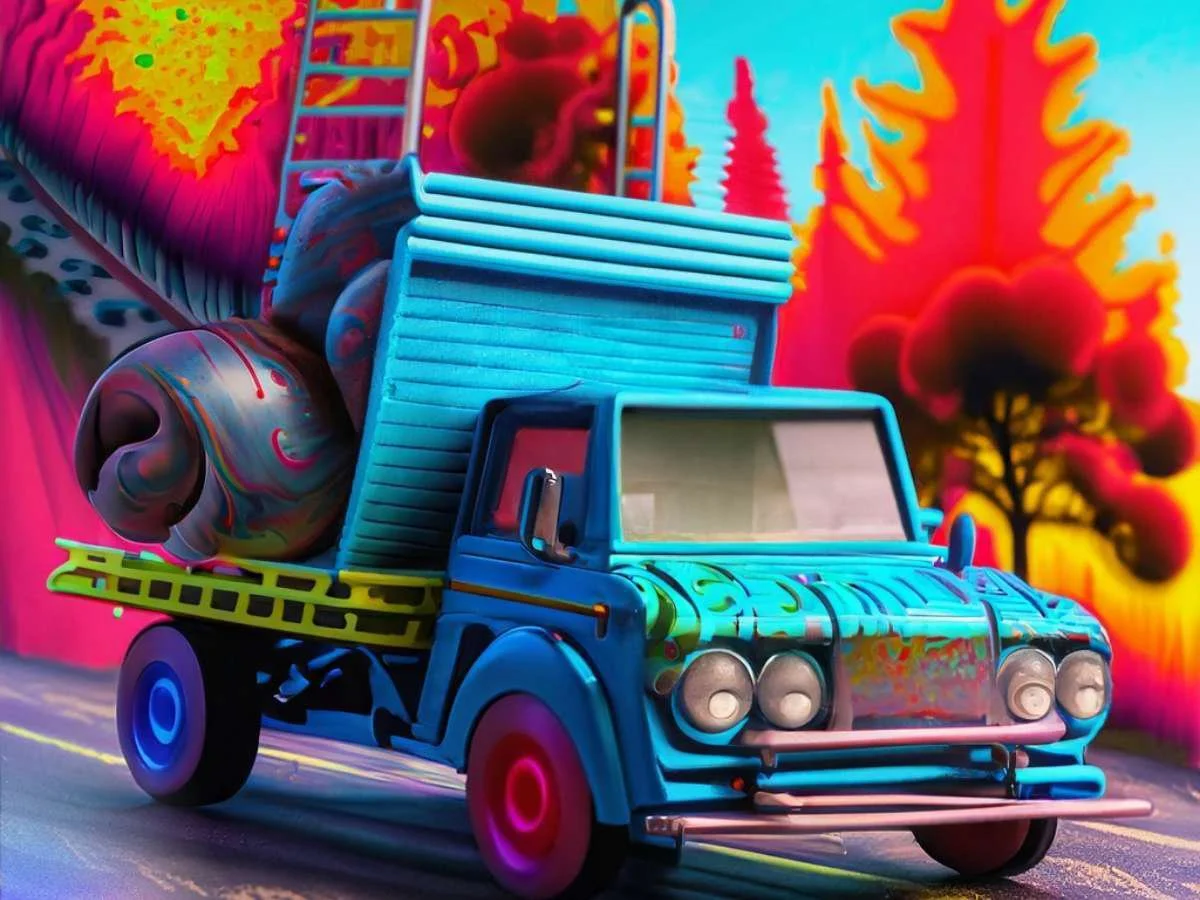
Toy truck
Add Detail Progressively (Firefly): Toy truck, Level 1Level 1
Add Detail Progressively (Firefly): Toy truck, Level 2Level 2
Add Detail Progressively (Firefly): Toy truck, Level 3Level 3
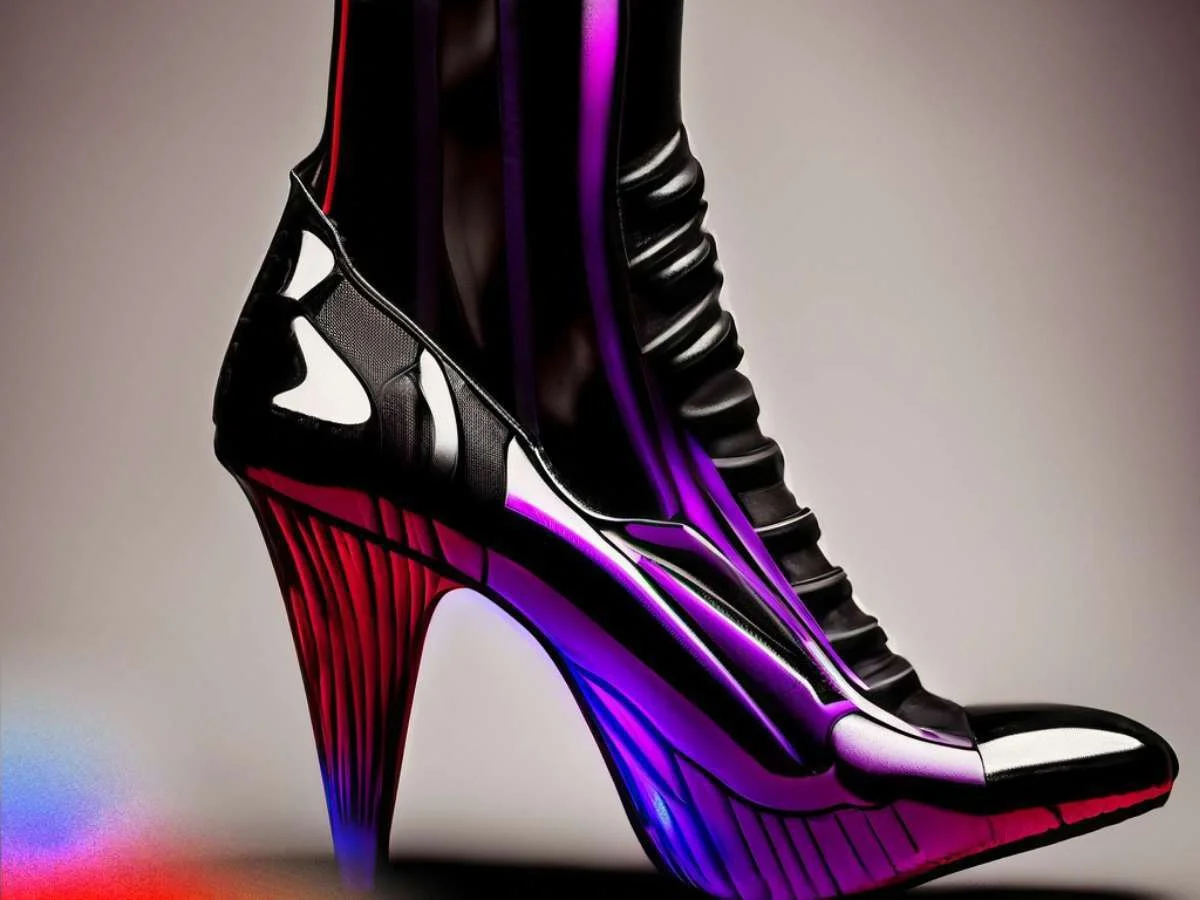
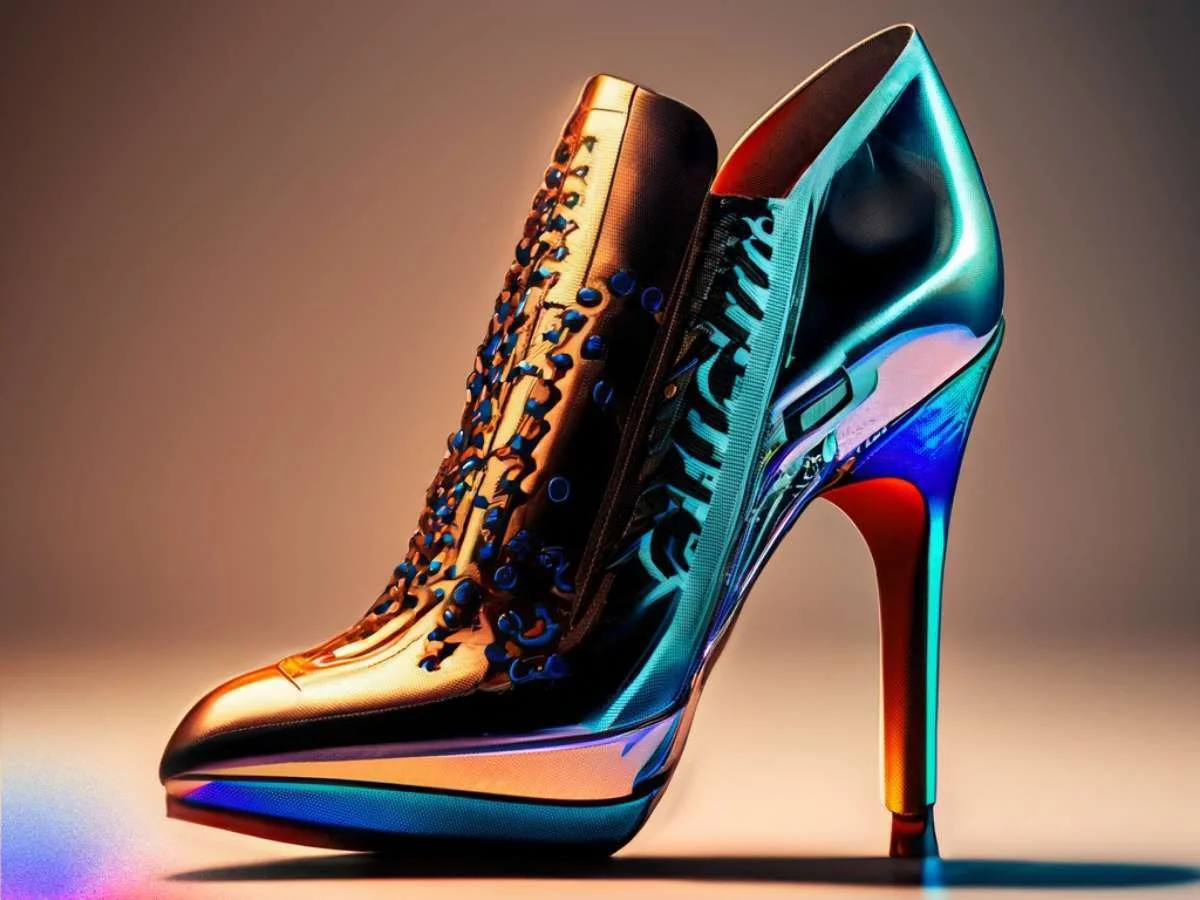
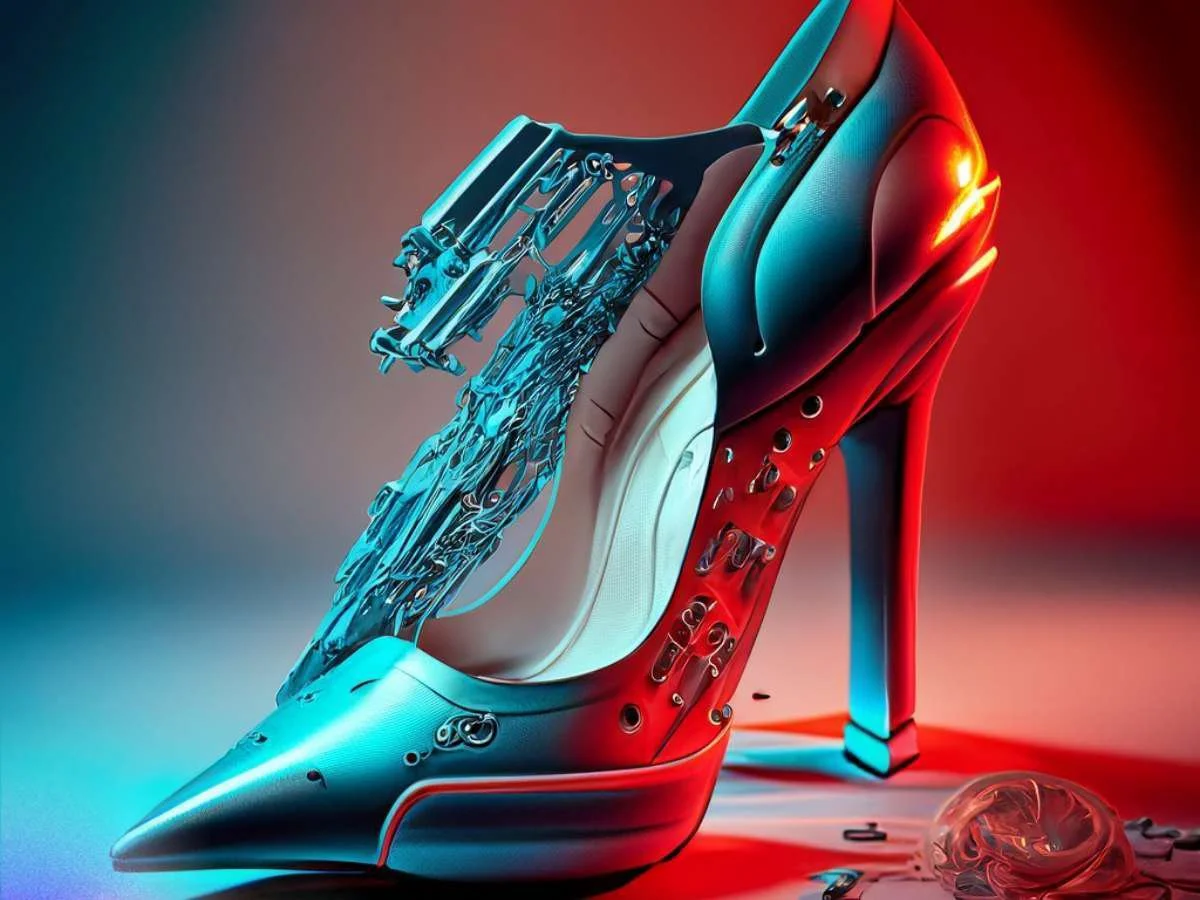
High heels
Add Detail Progressively (Firefly): High heels, Level 1Level 1
Add Detail Progressively (Firefly): High heels, Level 2Level 2
Add Detail Progressively (Firefly): High heels, Level 3Level 3
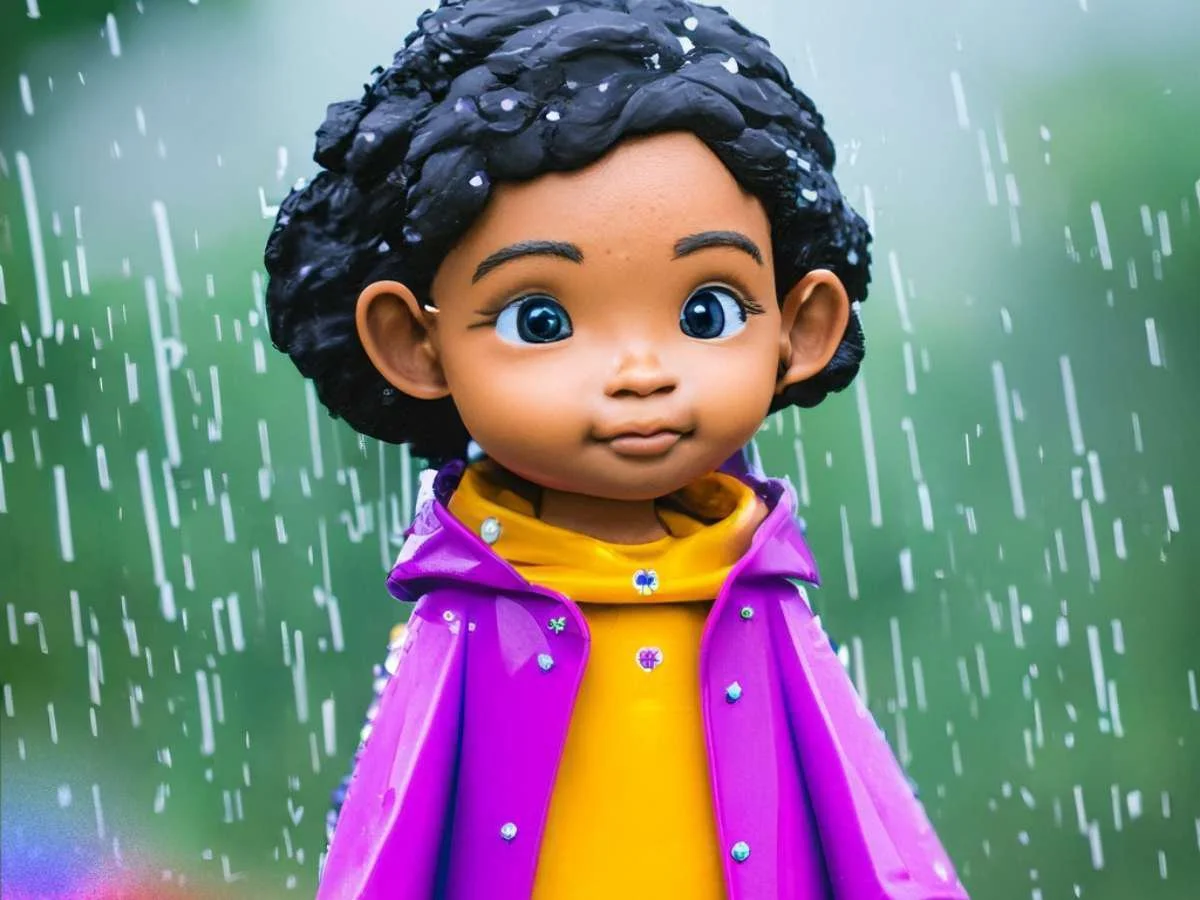
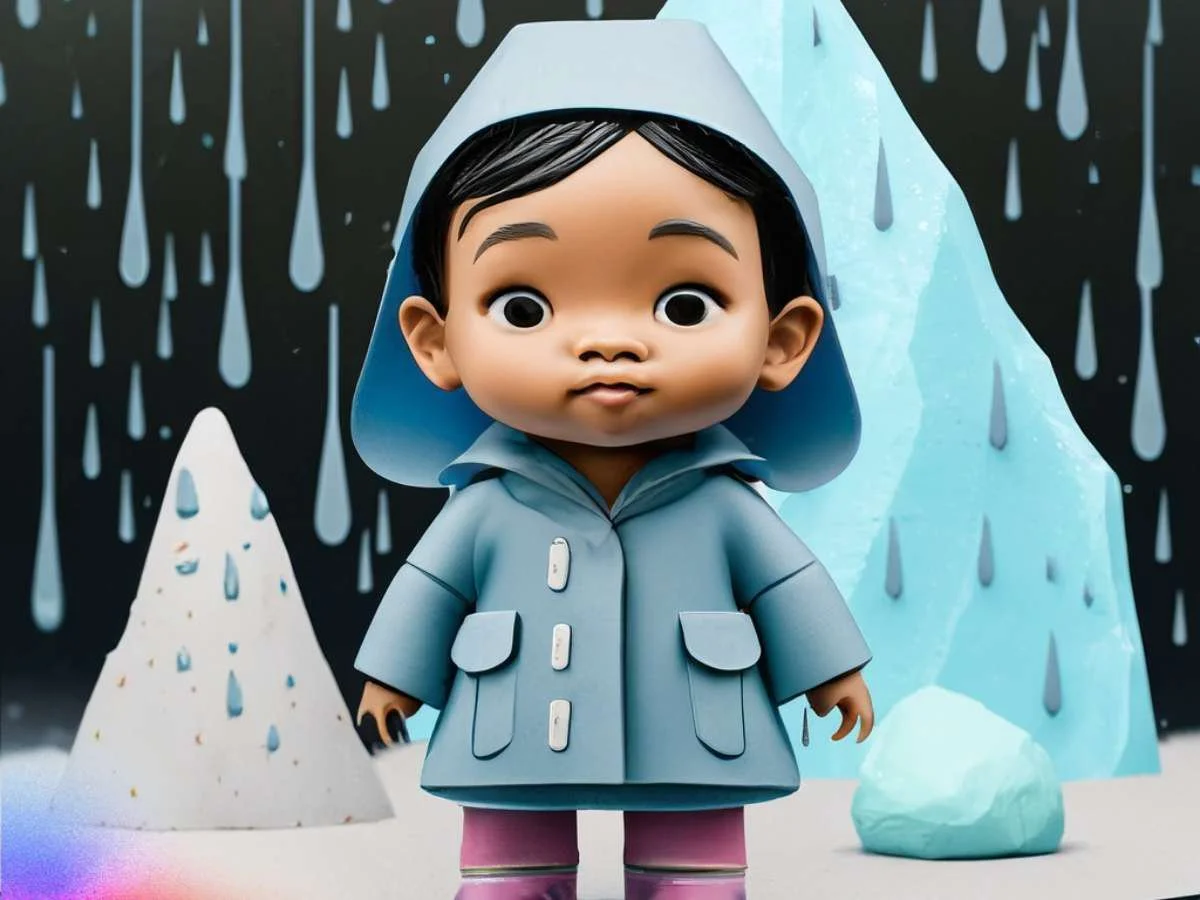
Raincoat girl
Add Detail Progressively (Firefly): Raincoat girl, Level 1Level 1
Add Detail Progressively (Firefly): Raincoat girl, Level 2Level 2
Add Detail Progressively (Firefly): Raincoat girl, Level 3Level 3
Pictures: Adobe (helpx.adobe.com)
Before

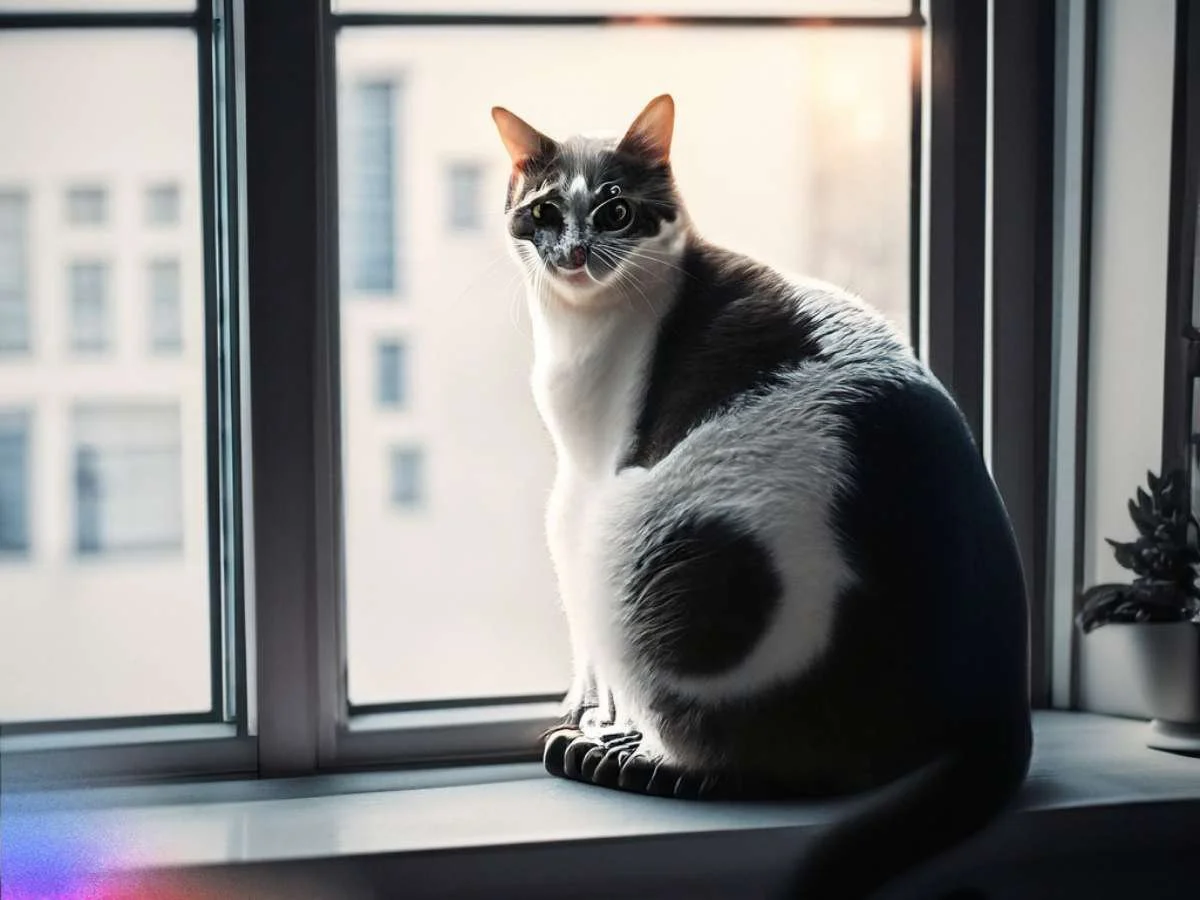
Image of a cat.

After · new words marked

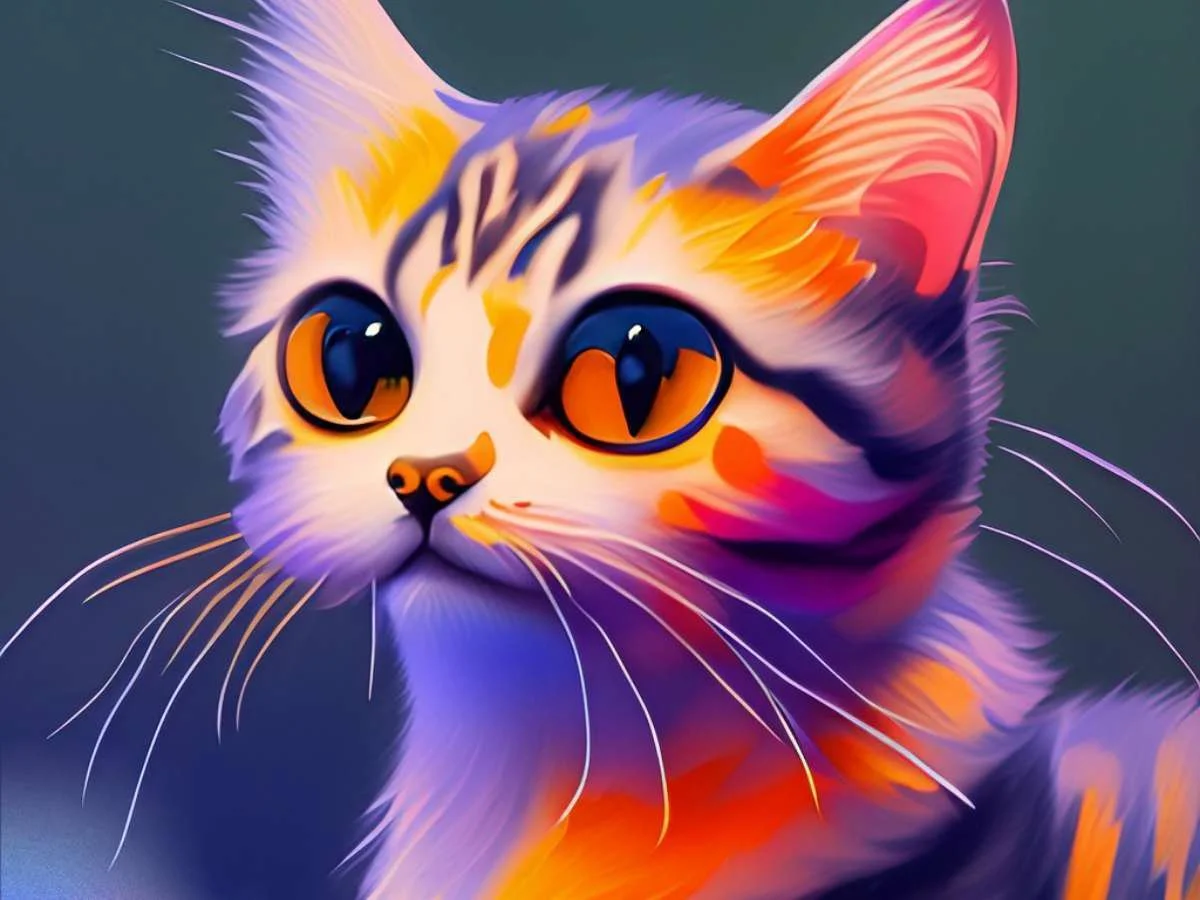
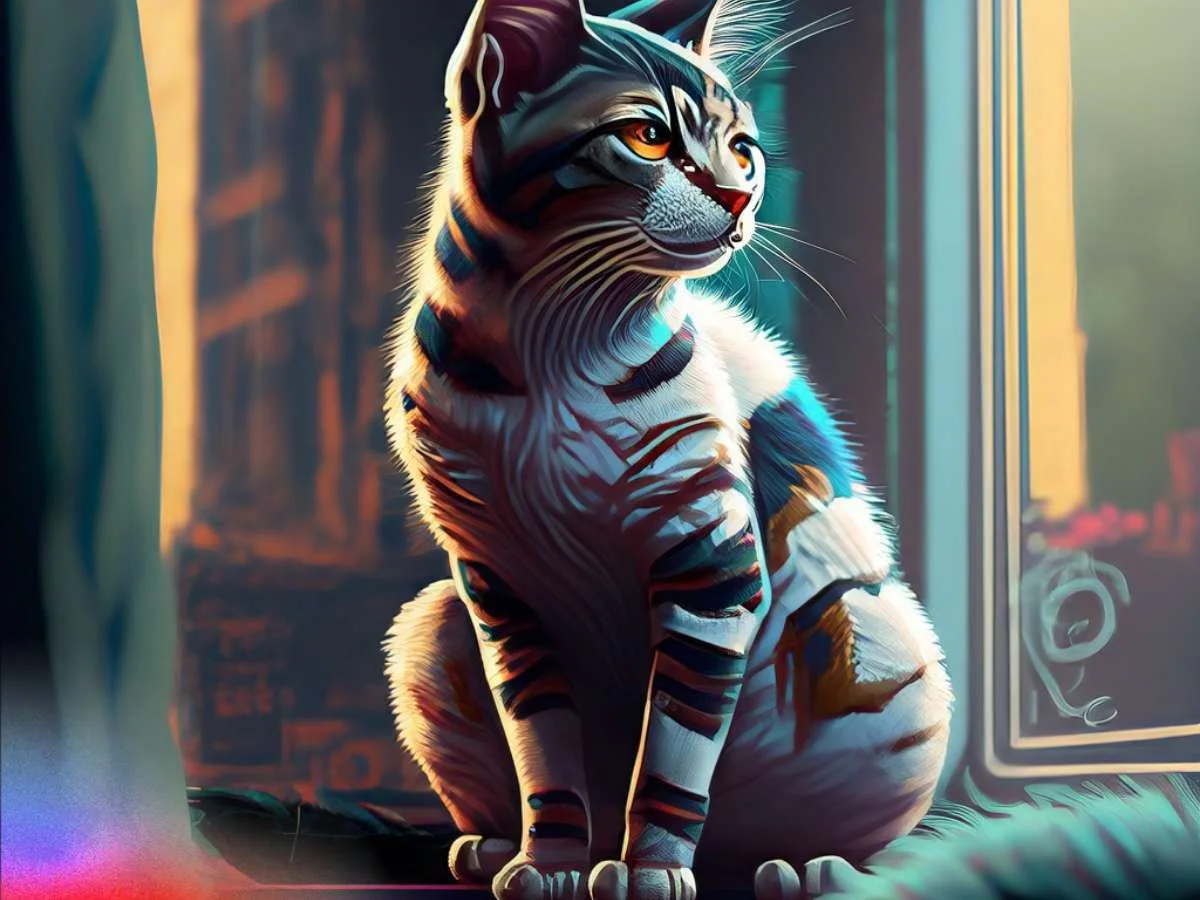
Cat with bold stripes, digital painting, 2 colors, sitting by the window, shallow depth of field, cyberpunk fantasy.

What happened

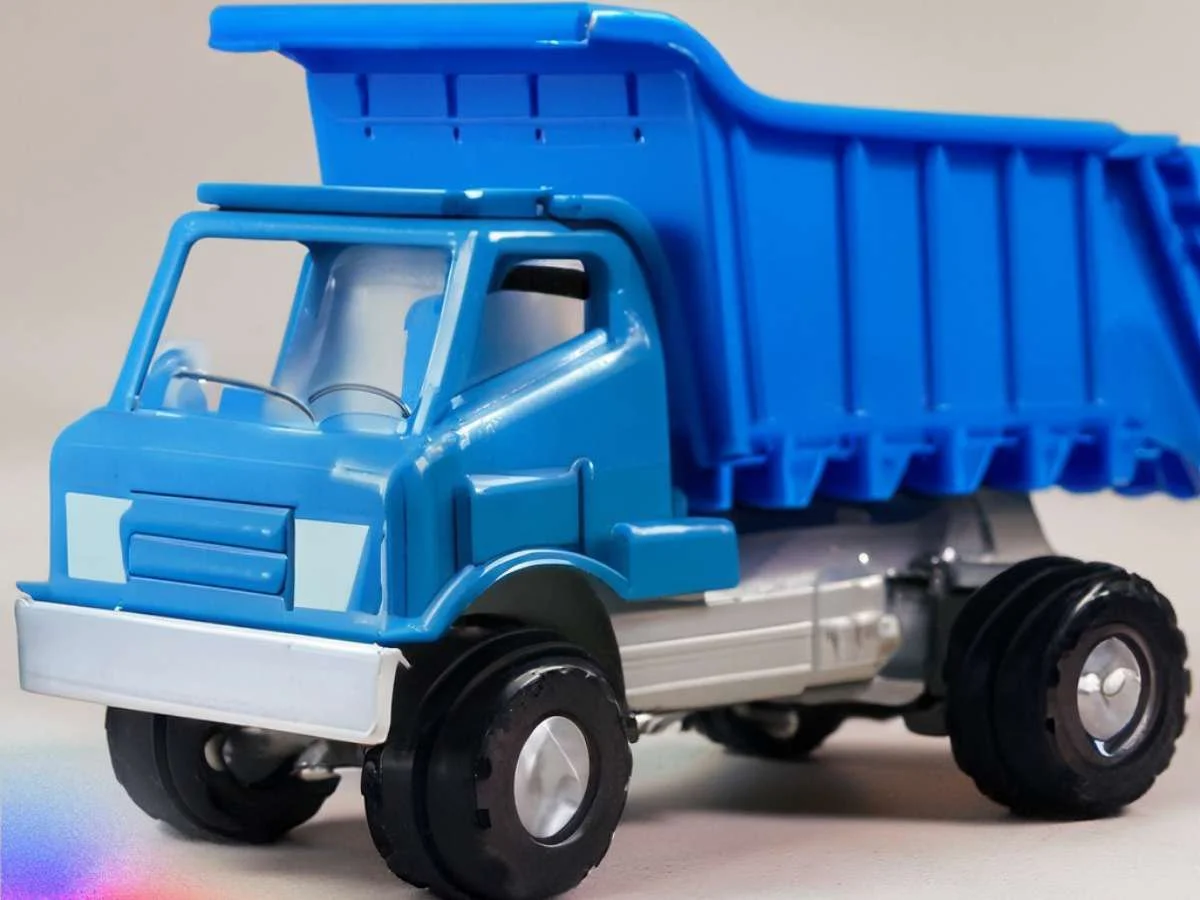
Plain photo-like cat -> digital-painting close-up, vibrant colours -> detailed stylised cat, upright indoors, soft natural light, cyberpunk fantasy. Same ladder for the toy truck, high heels, and raincoat girl.

Image prompting · Technique 16 of 25

Add Detail Progressively (Firefly)

More detail = closer match to your vision. The guide shows the same subject at 3 detail levels.

When to use it

When the first result is close but plain / wrong.

Sources

Use Emotion Words to Steer Mood (Firefly)

Words like love / gentle / playful give a heartwarming image; powerful / strong / uplifting give an inspiring one.

Before

man on a cliff

After · new words marked

A lonely man standing on the edge of a desolate cliff, overlooking a vast and barren landscape, lo-fi.

What happened

Mood lands (lonely / tender / joyful) instead of a neutral scene.

Image prompting · Technique 17 of 25

Use Emotion Words to Steer Mood (Firefly)

Words like love / gentle / playful give a heartwarming image; powerful / strong / uplifting give an inspiring one.

When to use it

Images meant to move an audience.

Sources

Write in Sentences, Not Tag Lists (Ideogram)

Tag lists can work, but sentences show relationships: who holds what, what sits behind what.

Before

man, forest, fire, dramatic, painting

After · new words marked

A tall man in a red coat walking through a snowy forest.

What happened

Model renders height, red coat, walking, snow, forest with correct relations.

Image prompting · Technique 18 of 25

Write in Sentences, Not Tag Lists (Ideogram)

Tag lists can work, but sentences show relationships: who holds what, what sits behind what.

When to use it

Default for all Ideogram prompts.

Sources

Describe Only What Can Be Seen (Ideogram)

Concrete visual description beats abstract praise.

Before

a beautiful scene

After · new words marked

A sunset over the ocean with orange and pink light on the water

What happened

Specific, drawable scene.

Image prompting · Technique 19 of 25

Describe Only What Can Be Seen (Ideogram)

Concrete visual description beats abstract praise.

When to use it

When results are vague / pretty but wrong.

Sources

Put the Main Idea First (Ideogram)

Words near the start carry more weight.

Before

[secondary detail first, subject buried at end]

After · new words marked

A watercolor painting of a fox curled up in snow under a pine tree.

What happened

Subject dominates instead of background details.

Image prompting · Technique 20 of 25

Put the Main Idea First (Ideogram)

Words near the start carry more weight.

When to use it

Any prompt where the subject gets lost.

Sources

Positive Framing (Ideogram)

'An empty street' works better than 'a street with no people' - Ideogram has no hidden negative syntax.

Before

a street with no people

After · new words marked

An empty street

What happened

Empty street rendered; the negated thing isn't summoned.

Image prompting · Technique 21 of 25

Positive Framing (Ideogram)

'An empty street' works better than 'a street with no people' - Ideogram has no hidden negative syntax.

When to use it

Removing people / objects from a scene.

Sources

Eight-Part Prompt Template (Ideogram)

Follow the 8-part template in order: [Image type] of [main subject], [action/placement], [setting], [lighting], [style] + text that reads '[exact words]'.

Before

A perfume bottle

After · new words marked

A product photo of a green glass bottle, centered on a cream pedestal, soft window light, a minimal studio setting. The label reads 'NORTHWIND' in bold dark letters.

What happened

Complete, controllable image. Full worked examples in the guide: men's perfume 'Nightlife for men' and watercolour girl + bunny.

Image prompting · Technique 22 of 25

Eight-Part Prompt Template (Ideogram)

Follow the 8-part template in order: [Image type] of [main subject], [action/placement], [setting], [lighting], [style] + text that reads '[exact words]'.

When to use it

Product photos, paintings, logos - any controlled image.

Sources

Render Text by Quoting It, Early and Short (Ideogram)

Put exact words in quotation marks near the start; say where the text sits; keep it short (each extra word raises typo risk).

Before

A poster about imagination, with a Picasso quote

After · new words marked

A risograph poster pasted on a sunlit brick wall with text that reads: 'Everything you can imagine is real. - Pablo Picasso'

What happened

Quote renders legibly in place. Keep each quoted string to 5-7 words max; quoted text ~97% accurate on large English text (Ideogram 4.0).

Image prompting · Technique 23 of 25

Render Text by Quoting It, Early and Short (Ideogram)

Put exact words in quotation marks near the start; say where the text sits; keep it short (each extra word raises typo risk).

When to use it

Posters, book covers, thumbnails, labels, t-shirts, flyers, invitations.

Sources

Magic Prompt On/Off + JSON Prompting (Ideogram)

Magic Prompt rewrites / expands a short prompt before generation. Turn it OFF to evaluate your own wording, for precise palette / composition / text, or when using presets. JSON gives exact control.

Before

Photo of cupcake and strawberries.

After · new words marked

Magic Prompt ON expands it (adds frosting, sprinkles, rustic sunlit background); JSON version = structured caption with high_level_description / style_description / compositional_deconstruction.

What happened

Richer image when exploring; exact colours / positions / text when controlled.

Image prompting · Technique 24 of 25

Magic Prompt On/Off + JSON Prompting (Ideogram)

Magic Prompt rewrites / expands a short prompt before generation. Turn it OFF to evaluate your own wording, for precise palette / composition / text, or when using presets. JSON gives exact control.

When to use it

Exploration -> Magic Prompt ON. Exact palette / layout / text placement -> JSON, Magic Prompt OFF.

Sources

Change One Thing Per Round (Ideogram)

First image is a draft. Fix model / settings / seed, turn Magic Prompt off, change a single word or phrase per generation so you can see what caused the change.

Before

A painting figuring a cat sleeping next to the fireplace.

After · new words marked

An abstract impasto painting figuring a cat sleeping next to the fireplace. [one word changed]

What happened

You learn exactly which word moved the image; framing stays intact.

Image prompting · Technique 25 of 25

Change One Thing Per Round (Ideogram)

First image is a draft. Fix model / settings / seed, turn Magic Prompt off, change a single word or phrase per generation so you can see what caused the change.

When to use it

Any image that is close but not right.

Sources